More than 50 crore people in India use WhatsApp, which makes it the most powerful channel to reach customers. But the normal WhatsApp Business app is built for small shops chatting by hand. If you want to send order updates, OTPs, reminders and campaigns to thousands of customers – automatically and legally – you need the WhatsApp Business API. This guide explains what it is, how it differs from the app, what you need to get it in India and how pricing and templates work.
What is the WhatsApp Business API?
The API (officially the WhatsApp Business Platform by Meta) lets businesses send and receive WhatsApp messages through software instead of a phone. Messages are sent from a panel or directly from your website, app, CRM or billing system. You can reach many customers at once, automate replies and connect a whole team to one number.
WhatsApp Business app vs API: key differences
- Users: the app works on one phone (plus a few linked devices); the API works for a whole team and for software.
- Bulk messaging: the app allows only broadcast lists to people who saved your number; the API can send approved template messages to any opted-in customer.
- Automation: the app has basic auto-replies; the API supports chatbots, workflows and integrations.
- Notifications: the API can send automatic OTPs, order and payment updates from your systems.
- Cost: the app is free; the API is paid per delivered template message.
- Trust: API numbers can show your verified business name and apply for an official business account badge.
What can you do with the API?
- Order confirmations, shipping and delivery updates
- Payment reminders, invoices and receipts
- Login and verification OTPs
- Appointment and booking reminders for clinics, salons and service businesses
- Offers, new arrivals and festival campaigns to opted-in customers
- Customer support with quick replies, buttons and a shared team inbox
- Chatbots for FAQs, lead capture and catalog browsing
Requirements to get WhatsApp Business API in India
- A registered business – GST certificate, Udyam/MSME certificate or other business proof
- A Meta (Facebook) Business portfolio for your company
- A working website with your business name, contact details and privacy policy
- A phone number that is not currently active on the WhatsApp or WhatsApp Business app (or one you are ready to move)
- A display name that matches your brand
How to get it: step by step
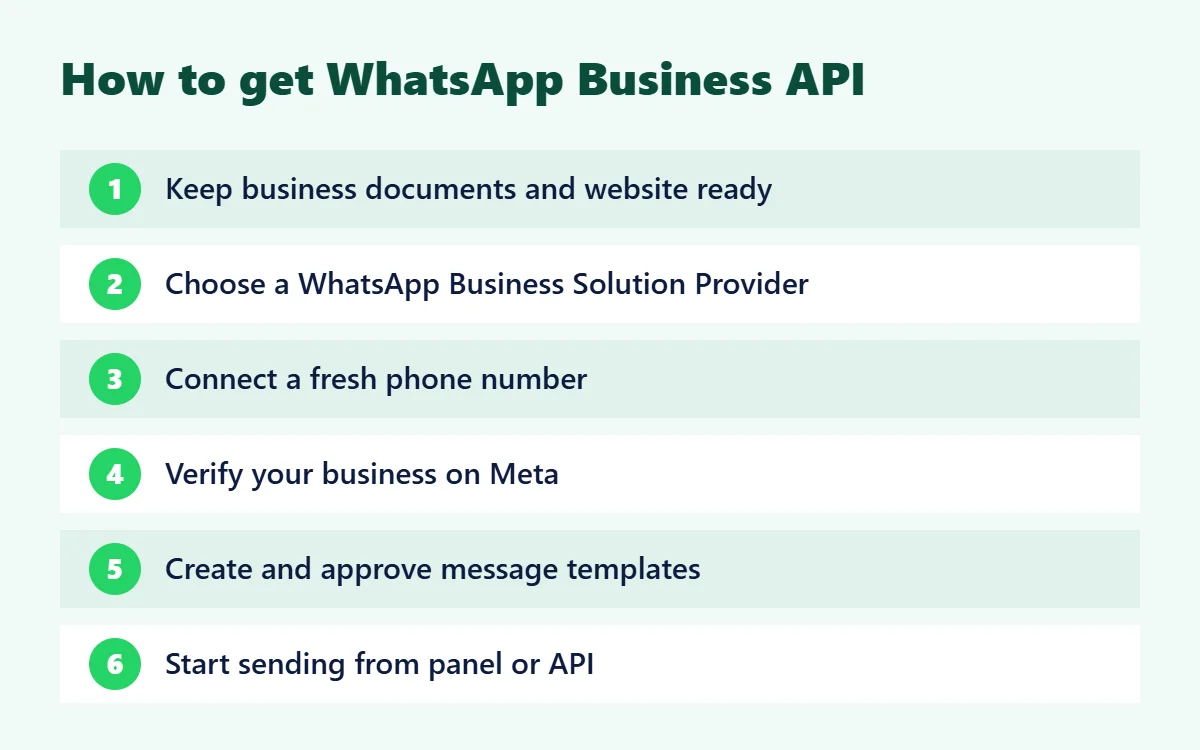
1. Keep documents and website ready
Meta checks that your business is real. Make sure your website, business documents and contact details all show the same business name.
2. Choose a WhatsApp Business Solution Provider
Most businesses connect through a provider that gives a ready panel, API, templates manager and support, instead of building on Meta's platform directly. Digital SMS 4 U helps you set up the account and start quickly.
3. Connect your phone number
You sign in with your Facebook account, select or create your Business portfolio and add your number. It is verified with an OTP by SMS or call.
4. Verify your business on Meta
Business verification and display name approval increase your messaging limits and build trust with customers.
5. Create message templates
To start a conversation, you must use a template approved by Meta. Templates have fixed text with variables such as {{1}} for the customer's name. Approval often takes minutes to a few hours.
6. Start sending
Upload contacts and send campaigns from the panel, or trigger messages from your software using the API. Replies from customers come back to your panel in real time.
WhatsApp template categories
- Marketing – offers, promotions, product launches, re-engagement
- Utility – order, payment, account and appointment updates the customer expects
- Authentication – one-time passwords (OTP) for login and verification
Choose the correct category. Meta can re-categorise or reject templates that do not match, and the category also decides the price.
WhatsApp Business API pricing basics
Meta charges per delivered template message. The rate depends on the template category (marketing, utility or authentication) and the country of the customer's number; messages from customers to your business are free. When a customer messages you, a 24-hour customer service window opens in which you can reply with free-form messages. Meta updates its rates and free allowances from time to time, so always check the latest rate card with your provider before planning a large campaign.Best practices for WhatsApp API messagingI
- Send messages only to customers who have opted in – blocks and reports lower your quality rating.
- Personalise messages with the customer's name and useful details.
- Keep marketing messages relevant and not too frequent.
- Use buttons (quick replies, call, website) to make action easy.
- Reply quickly inside the 24-hour window – customers expect chat-speed answers.
Use SMS as a fallback for customers who are not on WhatsApp.Get started with Digital SMS 4 UU
We help Indian businesses get the official WhatsApp Business API with a simple panel, template manager, API for developers and support in Hindi and English – along with bulk SMS, RCS and email in one account. Contact us for a free demo.
Frequently asked questionsIs the WhatsApp API free??
No. Setting up can be simple, but Meta charges for delivered template messages. Customer messages to you are free.
Can I use my existing WhatsApp number for the API?
Yes, but the number cannot be used on the normal WhatsApp app at the same time. Many businesses use a new number for the API.How long does setup take??
If your documents and website are ready, you can usually start sending within a few days. Business verification can take longer.Can I send bulk WhatsApp messages without an official account??
Unofficial bulk WhatsApp tools break WhatsApp's rules and often get numbers banned. The WhatsApp Business API is the official and safe way to send messages at scale.