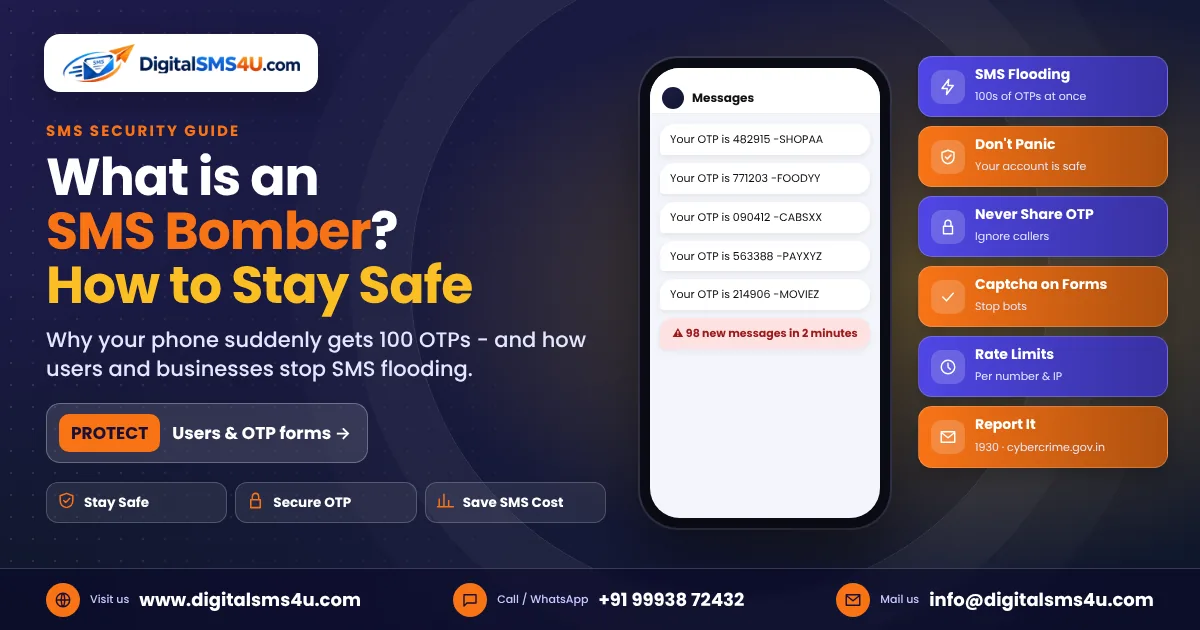
Imagine your phone suddenly starts buzzing non-stop – one OTP from a shopping app, then a food app, then a cab app, then a payment app – dozens of messages in just a few minutes, and you did not request any of them. This is called SMS bombing, and the tools used to do it are known as SMS bombers. In this guide we explain what an SMS bomber is, why it is used, whether it is dangerous, how you can protect yourself as a user, and – most importantly for businesses – how to stop your own OTP and sign-up forms from being misused to flood other people.
What is an SMS bomber?
An SMS bomber is a website, app or script that sends a very large number of text messages to one mobile number in a short time. Most SMS bombers do not send messages themselves. Instead, they misuse the "Send OTP" or "Resend OTP" buttons of genuine websites and apps – login pages, sign-up forms, "get a callback" forms – and trigger them again and again with the victim's number. Each of those businesses then sends a real OTP, and the victim's inbox is flooded.
This is also known as SMS flooding, OTP bombing or SMS pumping (when it is done at scale to waste a company's SMS budget).
Why do people use SMS bombers?
- Harassment and pranks – annoying a friend, an ex-partner or a stranger. What some call a "prank" can quickly become harassment.
- Hiding a real alert – fraudsters sometimes flood a phone so that a genuine bank alert or OTP gets lost among hundreds of messages.
- Pressure before a scam call – the victim gets confused by the flood, then receives a call from a "support executive" who asks for the "correct OTP" to "stop the messages".
- Wasting a business's money – every OTP a business sends costs money. Bots that repeatedly hit an unprotected OTP form can burn through a company's SMS balance in hours.
Is SMS bombing illegal in India?
Deliberately flooding someone's phone to harass, threaten or defraud them can be treated as an offence under Indian law, including the Information Technology Act and laws on harassment and cheating. Misusing a company's systems to send unwanted messages may also be unauthorised use of a computer resource. In short: SMS bombing is not a harmless joke, and victims can report it.
Is an SMS bomb dangerous for my phone or bank account?
The messages themselves cannot hack your phone or take money from your account. OTPs only work when someone enters them, and they are sent only to you. The real danger comes from what happens next:
- You may miss a genuine bank or payment alert hidden in the flood.
- A scammer may call you and ask you to "share the OTP to stop the messages" – never do this.
- Your phone storage and notification panel can fill up, and the constant buzzing is stressful.
What to do if your phone is being SMS-bombed
- Don't panic. Your accounts are safe as long as you do not share any OTP.
- Do not share any OTP, PIN or password with anyone who calls, messages or emails you during or after the flood.
- Check your bank and wallet apps directly (not through links in messages) to make sure there is no transaction you don't recognise.
- Turn on spam protection in your messages app and temporarily mute notifications from unknown senders.
- Activate DND (Do Not Disturb) for promotional messages through your operator – SMS to 1909 or use your operator's app. Note that OTPs are transactional, so DND will not stop all of them.
- Report it. If the flood is used to harass or cheat you, or if you have lost money, call the cyber-crime helpline 1930 or file a complaint at cybercrime.gov.in. You can report suspected fraud messages and calls on the Sanchar Saathi portal (Chakshu).
- Most floods stop within minutes to a few hours, because well-protected websites block repeated requests.
For businesses: is your OTP form being used as an SMS bomber?
If your website or app has a "Send OTP" button with no protection, SMS bombers can use it to flood strangers – and you pay for every one of those messages. It also damages your sender reputation, because people receiving unwanted OTPs from your brand may mark them as spam. Warning signs include:
- A sudden jump in OTP SMS count without a matching increase in sign-ups or logins.
- Many OTP requests for the same number, or for numbers in a sequence.
- OTP requests coming from a few IP addresses, or at odd hours.
- Very low OTP verification rate (OTPs are sent but almost never entered).
- Complaints from people who say they received your OTP without visiting your site.
8 ways to protect your OTP system from SMS bombing
- Add a captcha (for example reCAPTCHA, Turnstile or hCaptcha) before the "Send OTP" button, so bots cannot trigger it automatically.
- Limit OTPs per mobile number – for example, a maximum of 3 OTPs in 15 minutes and 10 per day for one number.
- Limit requests per IP address and device, and block IPs that cross the limit.
- Add a resend timer – the "Resend OTP" button should become active only after 30–60 seconds, with longer waits after each attempt.
- Validate the number – accept only valid Indian mobile numbers (or the countries you actually serve), and block number patterns and countries you don't serve.
- Never call the SMS API directly from the browser or app. Always send OTPs from your own server, and keep your SMS API key secret on the server.
- Monitor and alert – watch your daily OTP count and verification rate, and set an alert when sending suddenly spikes.
- Use a reliable OTP route with delivery reports, so you can see exactly where your messages are going and stop abuse quickly.
How DigitalSMS4U helps you send safe OTPs
- Fast, DLT-compliant OTP SMS from your registered sender ID.
- A simple API with per-message delivery reports, so unusual sending is easy to spot.
- A wallet with clear usage history, so you always know where your balance is going.
- Optional WhatsApp authentication and RCS OTP messages from a verified sender, which fake messages cannot copy.
Frequently asked questions
Can an SMS bomber hack my phone?
No. An SMS bomber only sends messages. Your phone and accounts stay safe as long as you do not click unknown links or share an OTP, PIN or password.
Why am I getting OTPs I didn't request?
Someone may have entered your number on websites by mistake, or your number is being targeted by an SMS bomber. If you also get calls asking for the OTP, it is a scam – do not share it.
How can I stop an SMS bomb?
Turn on spam filtering, mute unknown senders for a while, enable DND and report harassment on 1930 or cybercrime.gov.in. Most floods stop on their own quickly.
How do I stop bots from abusing my website's OTP form?
Use a captcha, per-number and per-IP limits, a resend timer, number validation and server-side sending. Together, these stop almost all SMS bombing and save your SMS cost.
Want secure, fast OTPs for your app or website? Talk to our team – we will help you set up DLT-compliant OTP SMS with the right protection in place.